Courses
Protection and Security
Data quality and integrity
In Excel there are three main ways to ensure your data quality and integrity; Security, Protection and Data Validation.
- Security: Prevents unauthorized access to restricted data.
- Protection: Forces the user to input data only in defined areas.
- Data Validation: Forces the user to input data in correct formats in defined areas.
Excel Security
Security in Excel is used to prevent unauthorized users from accessing restricted data.
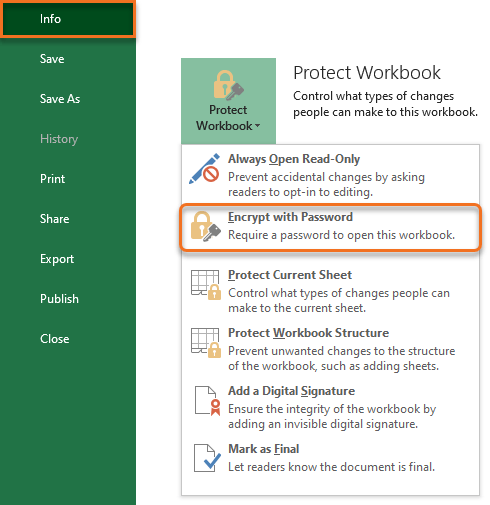
- Encrypt with Password: Encrypts and password protects the whole document.
Excel Protection
Protection in Excel is used to prevent mistakes and errors to occur as a result of faulty input.
- Protect Workbook: Prevents users from adding or deleting sheets in the workbook structure.
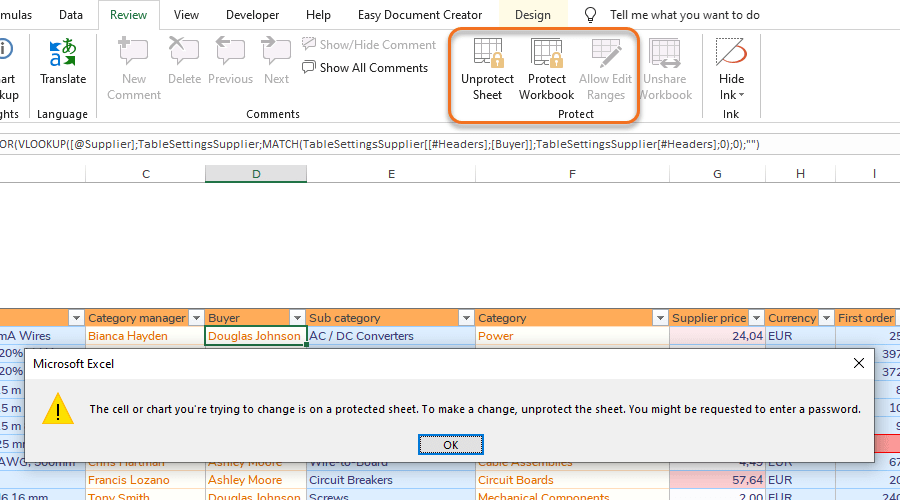
- Protect Sheet: Prevents users from performing certain actions on sheet level.
- Allow Edit Ranges: Allows users to make changes to certain ranges on sheet level when Protect Sheet is turned on.
Warning: Handle sensitive and confidential information with care
File encryption can be used to password protect the document. You should still always be very careful when distributing workbooks containing sensitive personal or confidential information.
Warning: Excel Protection is not intended as security
Protect Workbook and Protect Sheet are mainly used to prevent faulty input. Excel Protection is not intended as a security feature.
Quick guides
Step 1 − Go to File > Info > Protect Workbook > Encrypt with Password
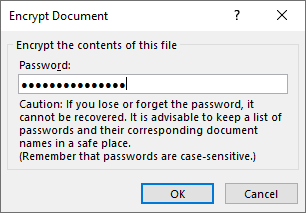
Step 2 − Choose password.
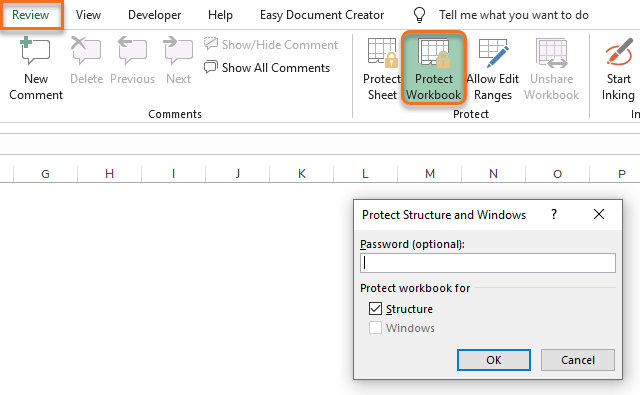
Step 1 − Go to Review > Protect Workbook
Step 2 [Optional] − Choose a password or leave the field blank.
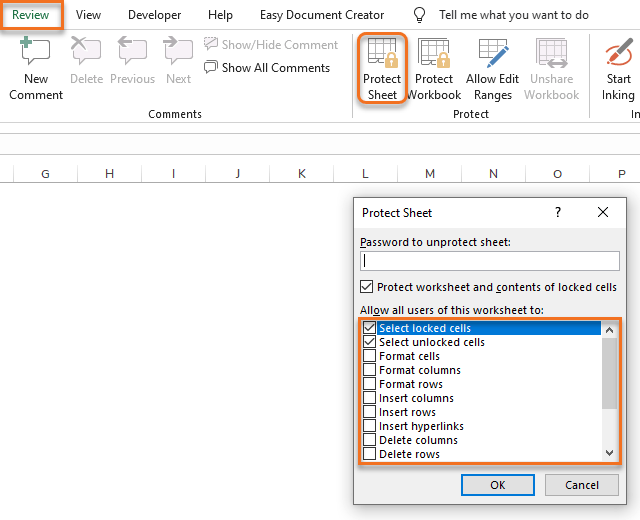
Step 1 − Go to Review > Protect Sheet
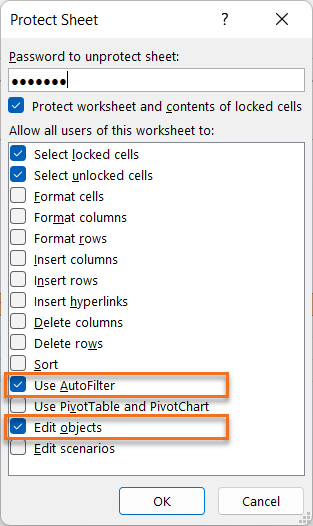
Step 2 − Select actions to be allowed when Protect Sheet is turned on.
Step 3 [Optional] − Choose a password or leave the field blank.
Step 1 − Go to Review > Allow Edit Ranges
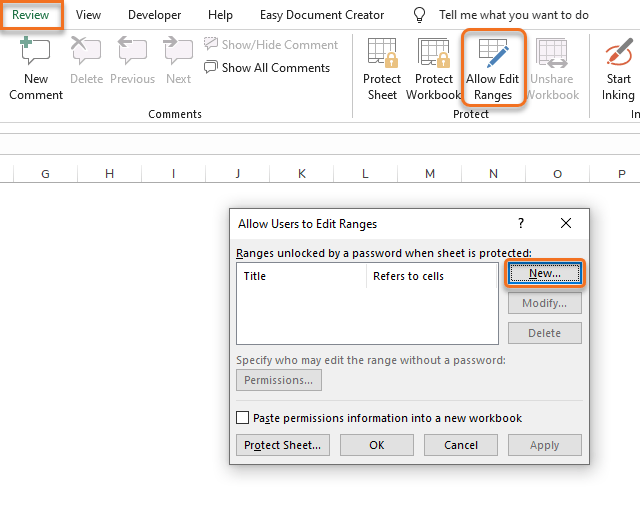
Step 2 − Set Title, Reference and Password.
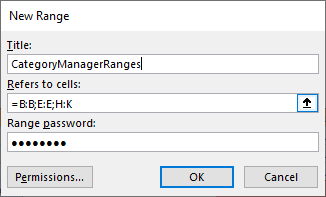
Step 3 − Apply the ranges.
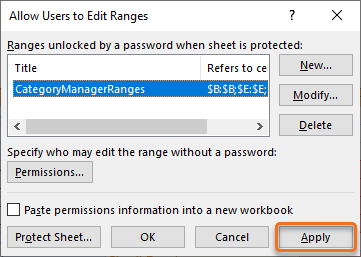
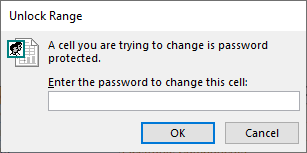
Result − The following pop-up window will appear when trying to edit a range with Allow Edit Ranges while Protect Sheet is turned on.